Microsoft and Salesforce have some of the largest chambers of commerce in this space as customers...

Define membership benefits clearly so they can be tracked in HubSpot
To effectively track membership benefits in HubSpot CRM, you must first translate every promised benefit into a clear, measurable unit that can be owned, logged, and reported. Start by listing benefits by tier, specifying the trigger for delivery, who it’s for (company vs. contact), and how you’ll mark it complete in the CRM.
@ Convergence, we have the model and tailor to your specific membership model so you're not starting from Ground Zero with us.
The core pain point for most membership-based organizations is simple: you promise a rich menu of benefits, but you can’t reliably show which ones each member has actually received. That uncertainty creates awkward renewal conversations and missed opportunities to demonstrate value.
Start with a benefits inventory workshop. For each membership tier (e.g., Basic, Gold, Strategic Partner), document every benefit in a spreadsheet: name, brief description, frequency, and delivery trigger. A "Gold Podcast Feature" might be one appearance per year on your organization’s podcast.
Next, decide the unit of tracking for each benefit. Some are delivered per company (e.g., "Logo on website"), some per contact (e.g., "Two leadership coaching sessions"), and some per event or campaign (e.g., "Invited to quarterly roundtable"). This decision will later dictate whether you track the benefit on the company record, contact record, or custom object. One of our clients has a "5 people get to serve on X committees". 👍
For each benefit, add three practical details: who initiates it (e.g., Member Success Manager), what "delivered" means in the real world, and proof of delivery (URL, attachment, or note). For instance, the proof for the podcast benefit could be the episode link plus a short summary in the company’s timeline.
Finally, narrow down to a manageable number of "high-value" benefits to track rigorously. Many organizations start with the 10–15 benefits that influence renewal most, then expand once the process is working smoothly.
Model memberships and benefit entitlements using HubSpot CRM objects
The most reliable way to track membership benefits in HubSpot is to model membership and entitlements using standard and custom objects. Use companies and contacts for people and organizations, and introduce a structured "Membership" or "Benefit Entitlement" object to represent what each member is owed.
Begin with Companies as the home for organizational membership, especially for business or community memberships. Add properties such as membership_tier, membership_start_date, and membership_renewal_date. This creates a single source of truth for each member organization.
Next, decide whether to track entitlements with deals, tickets, or a custom object:
- Deals work well when membership is sold and renewed through a sales process.
- Tickets are helpful when benefit delivery resembles service requests (e.g., "Webinar speaking slot" as a ticket).
- A custom object called "Membership Benefits" or "Entitlements" is ideal when you have many repeatable benefits and need a clean, scalable model.
For example, you might create one "Membership Entitlement" record per benefit per member: "2026 Gold – Podcast Feature" associated to the Gold member’s company. Core fields could include benefit_type, membership_year, status (Not Started / Scheduled / Delivered), and proof_of_delivery.
Associating entitlements with both the company and specific contacts makes reporting powerful. You’ll be able to answer questions like, "Which CEOs have not yet used their annual site visit benefit?". And yes, you can create workflows based on this too.
If you already track memberships as deals, you can still layer entitlements on top. For each "Membership Renewal – 2026" deal, automatically create a set of entitlement records matching that tier, ensuring consistency and removing guesswork.
Log when specific membership benefits are delivered to each company
To truly track membership benefits delivered in HubSpot, you must log each benefit at the moment it’s delivered. Use structured properties, associations, and standardized notes instead of ad hoc comments so your team and reports can rely on the data.
Take the podcast example: a Gold member is promised one podcast appearance per year. When you record the episode, create or open that member’s "Podcast Feature" entitlement record. Set status to Delivered, paste the episode URL into proof_of_delivery, and add the publication date.
Attach any supporting files—audio clips, social media graphics, talking points—to the record or the company timeline. This creates a durable audit trail that new staff can understand months later.
Consistency matters more than perfection. Establish a short internal standard for benefit logging, such as: "Every delivered benefit must have a date, owner, and proof of delivery link or file." In practice, that means your Member Success Manager spends 1–2 minutes closing the loop in HubSpot right after each benefit is delivered.
You can also use activities to complement structured records. A completed task titled "Deliver webinar speaking slot – Q3 2026" associated with the benefit record underscores that the work happened and who did it.
Over time, this logging discipline turns your CRM into a living ledger of value delivered. When renewal season arrives, you’re not scrambling through emails; you can pull up a filtered list of all delivered benefits for that member in seconds.
Automate benefit tracking with workflows, tasks, and playbooks
You can scale how you track membership benefits in HubSpot by automating entitlement creation, scheduling tasks for delivery, and guiding staff with playbooks. Automation reduces missed benefits and ensures every member receives the value they paid for.
Start with entitlement creation. When a membership deal moves to Closed Won or a company’s membership_tier changes, trigger a workflow that automatically creates the correct set of entitlement records: podcast slot, annual strategy session, newsletter feature, and so on.
Next, use workflows to create tasks tied to each benefit. For example, 60 days after the membership start date, automatically create a task for the Member Success Manager: "Schedule Gold Podcast Feature for [Company]." Assign it to the right owner and set a realistic due date.
Playbooks help standardize how benefits are delivered and logged. When a team member opens a company record, they can launch a "Deliver Benefit" playbook that prompts them to confirm which benefit they are delivering, capture key notes, and set the entitlement status to Delivered. This is especially helpful for new staff or volunteers.
You can also use lists and alerts to keep things from slipping. Build an active list of companies where benefit_status contains "Not Started" and membership_renewal_date is within 90 days. Send a weekly internal email or Slack alert summarizing "Members with outstanding benefits due this quarter."
The goal is not to automate human relationships, but to automate reminders and record-keeping so your team can focus on high-quality interactions instead of spreadsheets.
Give members visibility into benefits they’ve received (and what’s left)
A powerful way to track membership benefits in HubSpot is to share the tracking with your members. Use HubSpot-powered emails or portals so members can see which benefits have been delivered, what’s upcoming, and how to redeem anything outstanding.
Imagine sending a quarterly "Membership Value Summary" email to CEOs and key contacts. Pull in personalized tokens: list of delivered benefits (podcast feature, site visit, custom data report), links to assets, and a short note highlighting what’s still available this year.
Dynamic email content can do a lot. Use lists and properties to conditionally show a call-to-action like, "We still owe you a podcast slot—click here to book recording time" when podcast_benefit_status is not Delivered.
This kind of proactive transparency changes the tone of your outreach. Instead of generic check-ins, you’re able to say, "We saw your team hasn’t yet used your 1:1 strategy session for 2026—would you like to schedule it with our director next month?"
Members feel seen, and your team looks organized and generous, not reactive.
Report on benefit delivery, engagement, and member health scores
Once you track membership benefits in HubSpot with structure, you can build reports and health scores that show the link between benefit usage, engagement, and renewals. This turns your CRM into a decision-making tool, not just a database.
Build simple reports first. For example, a bar chart showing "Delivered benefits by type this year" will reveal which benefits are heavily used and which are being overlooked. You might notice that only 40% of eligible members have claimed their extended consulting hours.
Create a report that compares membership_tier with the percentage of benefits delivered. This lets you quickly spot, for instance, that several Gold members have used fewer benefits than some Silver members—a red flag before renewal.
Next, incorporate benefits into a member health score. Give positive points when high-value benefits are delivered and used (e.g., +15 when a CEO attends a strategy session, +10 for a podcast feature that draws views), and subtract points for long periods with no benefit usage.
Tie your reporting back to outcomes. Track renewal rate and expansion for members who receive more than 75% of their entitled benefits versus those below 50%. Even a simple internal comparison will show whether "delivered value" truly correlates with loyalty.
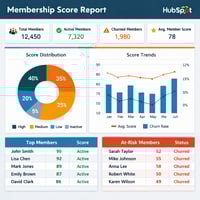
Use dashboards so staff can see at a glance: members at risk (few benefits used, renewal soon), champions (high engagement, high benefit utilization), and opportunities (members who could be invited onto a panel, podcast, or case study).
Operational tips: who does what and how to keep data clean
To reliably track membership benefits in HubSpot, you need clear ownership, simple processes, and recurring data-quality checks. The best setup fails if no one knows who is responsible for updating benefit statuses.
Assign an internal "benefit owner" role, even if it’s part-time. This person is accountable for spot-checking data, nudging colleagues to log benefits, and making sure workflows are running as intended.
Define a short RACI (Responsible, Accountable, Consulted, Informed) for key benefit actions: who creates entitlements, who delivers the benefit, who marks it as Delivered, and who reviews the monthly dashboard.
Keep your HubSpot configuration user-friendly. Limit benefit-related properties to the ones staff truly need. Use clear, human-readable names ("Podcast – Status" instead of "podcast_stat_2026") so team members understand what to update without training manuals.
Schedule a monthly 30-minute review where you sample 10 members at random and verify that the CRM accurately reflects reality. If someone used a benefit that isn’t logged, adjust the playbook or workflow so that gap is less likely to happen again.
Small operational disciplines like these ensure that your beautifully designed benefit model remains trustworthy over time.
Example setup for a tiered membership program in HubSpot
Here’s a practical way to track membership benefits with HubSpot for a three-tier program: model tiers on the company record, create entitlements for each benefit, automate task creation, and surface open benefits in dashboards and outreach.
Imagine a program with three tiers: Core, Growth, and Gold. Core members get access to newsletters and basic events; Growth adds two advisory calls per year; Gold adds a podcast feature, custom data report, and priority introductions.
When a Gold membership deal closes, a workflow sets the company’s membership_tier to Gold and creates entitlement records:
- 1x Podcast feature (status: Not Started)
- 2x Strategy calls (status: Not Started)
- 1x Custom report (status: Not Started)
The workflow also creates tasks spaced throughout the year, such as "Schedule first strategy call" at 30 days, "Offer podcast slot" at 90 days, and "Deliver custom report" at 180 days.
As your team completes each item, they open the entitlement, set status to Delivered, attach proof (Zoom recording, podcast link, PDF report), and complete the related task. A dashboard shows, by member, the percentage of entitlements delivered this year.
Finally, 60 days before renewal, an automated email to the CEO summarizes delivered benefits, includes links to assets, and calls attention to anything still available: "You still have one strategy call remaining this year—click here to schedule it." This turns renewals into conversations about demonstrated value, not vague promises.
Over time, this pattern helps you build a culture of proactive, visible service—where every member can see that you’ve not only promised value, but methodically delivered it and recorded it inside HubSpot.